Is the Knowledge Base API Easy to Integrate? What Developers Should Check
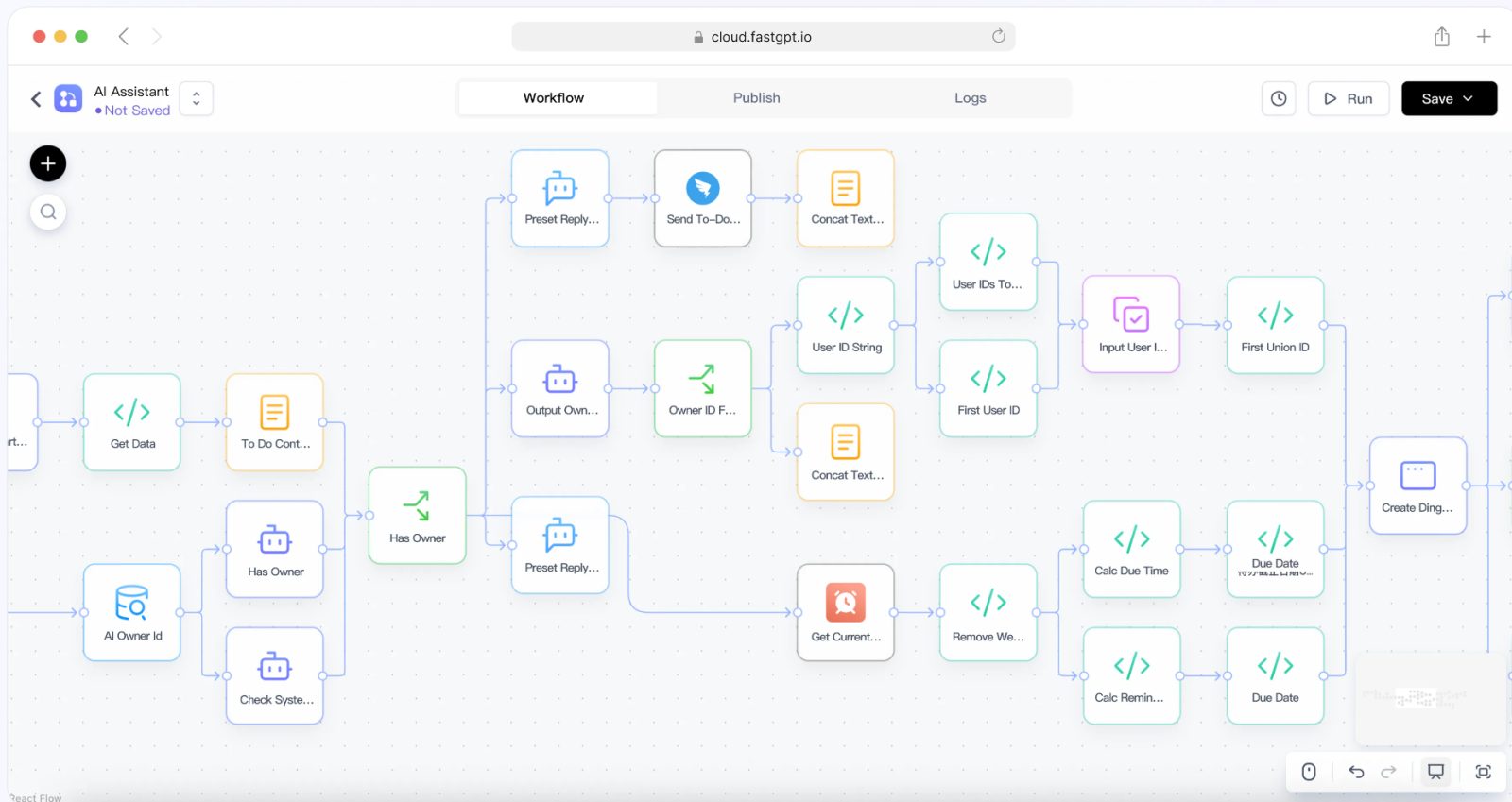
An AI knowledge base API can look easy in a quick demo. Send a question, receive an answer, display it in a product or internal tool. But production integration requires more than a single request. Developers need authentication, permissions, streaming, citations, error handling, observability, rate limits, versioning, and workflow control. The API should be judged by how it behaves under real product conditions, not only by how short the first code sample is.
For teams evaluating FastGPT, API integration should be tested with the same seriousness as the user interface. If the knowledge base will be embedded into a customer portal, SaaS product, support console, intranet, or mobile app, the API becomes part of the product experience. A weak integration layer can make even a strong knowledge base feel unreliable.
Start with the User Journey
Before testing endpoints, define the user journey. Will users ask one-off questions? Continue multi-turn conversations? Upload files? Select a knowledge domain? Receive citations? Trigger workflows? Escalate to a human? Different journeys need different API behavior.
A support console may need fast answers with source links. A customer portal may need strict public-only knowledge. An internal product may need user-specific permissions. A workflow assistant may need structured outputs and tool status. API evaluation should follow the journey the product actually needs.
Check Authentication and Identity
Authentication should be clear and secure. Developers should understand how the API identifies the calling application and, when needed, the end user. If user identity is not passed through correctly, permissions and audit logs may become inaccurate.
For enterprise use, integration should support role-aware access. A user should not receive knowledge through the API that they could not access in the application. If the API relies on a broad service credential, the team must add controls to prevent overexposure. Identity design is part of API design.
Check Permission Behavior
Permissions should be tested through the API, not only through the UI. Create users or contexts with different roles and confirm that the API returns different results as expected. Test restricted documents, department-specific knowledge, customer-specific records, and workflow actions.
Also check citations. A response might avoid restricted answer text but still reveal a restricted document title or source path. API consumers need permission-safe citations as well as permission-safe answers. This detail is easy to miss until the product is already live.
Check Response Structure
A production API should return structured data that developers can use reliably. The answer text is only one part. Developers may also need citations, source identifiers, confidence or retrieval metadata, conversation IDs, workflow state, error codes, token usage, and timing information.
Structured responses make it easier to build good interfaces. A product can show citations, highlight sources, continue conversations, report feedback, or route low-confidence answers. If the API only returns a plain string, the product team must guess how to build trust and diagnostics.
Check Streaming and Latency
AI responses can take time. Streaming can improve user experience by showing partial output quickly. Developers should test whether the API supports the interaction style their product needs. A support agent console may tolerate a few seconds. A customer-facing search replacement may need faster feedback. A workflow assistant may need progress states.
Latency should be measured under realistic conditions. Include retrieval, model generation, citations, and workflow calls. Test concurrent users. Test long questions and large context. If latency spikes under load, the integration may need caching, queueing, response streaming, or narrower workflows.
Check Error Handling
Error handling is one of the most important API evaluation areas. What happens when the model times out, retrieval fails, permissions are denied, a workflow tool fails, or the user asks an unsupported question? The API should return clear, actionable error states rather than vague failures.
Developers should design user-facing fallback behavior. If the knowledge base cannot answer, should the product show a refusal, suggest related documents, escalate to support, or ask for clarification? The API should provide enough information to support these paths without leaking internal details.
Check Observability and Logs
API integrations need observability. Developers should be able to trace a request through the application, knowledge base, retrieval system, model call, and workflow tools. Logs should include request IDs, conversation IDs, error details, latency, and relevant operational metadata.
For quality review, the system should also support feedback. Users may mark an answer as helpful or wrong. That feedback should connect to the question, retrieved sources, and generated answer. Without this loop, developers may know that the API is being called but not whether it is helping users.
Check Versioning and Change Management
APIs change over time. Models change, workflows change, response formats change, and knowledge base behavior changes. Developers should understand how changes are versioned and how breaking changes are communicated. A stable API contract is essential when the knowledge base is embedded in a product.
Change management should also include prompts and workflows. A backend change may alter answer style or structured output. A knowledge update may change citations. A model switch may change latency. Developers should test critical flows before deploying changes to production users.
How FastGPT Fits API Evaluation
FastGPT's official documentation can help developers understand how applications and knowledge bases are organized before integration. During API evaluation, build a thin product prototype that includes authentication, permissions, citations, streaming or response handling, errors, feedback, and logs.
The prototype should use real questions and real UI constraints. A terminal test is useful, but it does not reveal how the answer fits in a product screen, how citations display, or how users react to latency. Integration quality is ultimately a product experience issue.
Production Notes for API Consumers
Developers should design the integration as if the knowledge base API will become a long-term dependency. That means creating clear boundaries between the product, the AI application, and the underlying knowledge sources. The product should not assume that answer text is always available, that citations are always present, or that model behavior never changes. It should handle uncertainty, partial results, refusals, and service failures gracefully.
Testing should include realistic data and UI states. Long answers may not fit in small panels. Citations may need truncation or grouping. Streaming output may need cancellation. Users may ask follow-up questions that depend on previous context. Some questions may require account-specific knowledge, while others should use only public documentation. These product details affect API design as much as backend functionality does.
Rate limits and cost controls should be planned early. An embedded assistant can create unpredictable traffic if users discover it is useful. A customer-facing product may receive bursts after a release, outage, or onboarding campaign. The integration should track usage by user, organization, application, or feature area where appropriate. This helps teams control cost and understand adoption.
Security review should include prompt and response handling. User input may contain sensitive data. Retrieved context may contain internal knowledge. Generated answers may include citations or operational hints. API consumers should decide what is stored in product logs, what is sent to analytics, and what is visible to support teams. It is easy to accidentally copy AI interactions into systems that were not approved for sensitive content.
Finally, the integration should include a feedback path. Users should be able to report bad answers, missing sources, or confusing responses. That feedback should reach the team that can fix the issue, whether the cause is documentation, retrieval, permissions, or UI design. An AI API integration is not finished when the endpoint works. It is finished when the product team can improve it after real usage.
Developers should also test multi-tenant behavior if the product serves multiple customers, teams, or workspaces. The API should keep knowledge and conversations separated by tenant. A user from one organization should not receive sources, answer context, or conversation history from another. This sounds obvious, but AI integrations add new paths for leakage through retrieval, citations, logs, and cached responses. Tenant isolation should be tested directly.
Another important check is context management. Multi-turn conversations can improve user experience, but they can also create risk if old context is reused incorrectly. The product should decide how long conversation context is kept, when it is reset, and how account or workspace changes affect it. If a user switches from one customer account to another, the assistant should not carry over sensitive context from the previous account.
Finally, API consumers should design for graceful degradation. If the AI answer is unavailable, the product can still show documentation search, support escalation, suggested articles, or a structured ticket form. This prevents the AI feature from becoming a single point of failure in the product journey. A reliable integration is not one that never fails. It is one that fails in a way users can recover from.
Common API Integration Mistakes
The first mistake is treating the answer as the only response field. In production, the product often needs citations, conversation IDs, source metadata, error codes, timing, and workflow state. If the integration ignores these fields, the interface may look clean but become hard to debug and improve.
The second mistake is forgetting permission-safe UI behavior. Even if the API enforces permissions, the product must display results carefully. Restricted source names, internal paths, hidden metadata, or cached answers can still create exposure. Developers should test the complete path from API response to user screen.
The third mistake is skipping load and latency testing. A feature that works for one developer may behave differently during onboarding campaigns, product incidents, or customer support spikes. Measure realistic concurrency and decide how the product behaves when responses are slow.
Finally, do not ship without a feedback loop. Users will find missing knowledge and confusing answers. If feedback is not connected to logs and source review, the team will collect complaints without a way to improve the system. A good API integration makes improvement part of the product workflow.
It is also a mistake to skip documentation for the integration itself. Future developers should know which assistant is called, which knowledge bases are in scope, how user identity is passed, how citations are rendered, how errors are handled, and where logs can be reviewed. AI integrations can become difficult to maintain when these decisions live only in the memory of the original implementer.
Keep that documentation near the product code or internal runbook, and review it whenever the assistant, model, or knowledge scope changes.
Small integration notes save large debugging hours later.
Final Takeaway
A knowledge base API is easy to integrate only if it supports the full production journey. Developers should check authentication, permissions, response structure, citations, latency, streaming, error handling, observability, feedback, versioning, and workflow behavior. The shortest API call is not always the best API.
The best integration is predictable, debuggable, and safe. It lets developers embed AI Q&A into real products while preserving knowledge governance and user trust. If the API handles real-world complexity cleanly, the knowledge base can become a reliable part of the product experience rather than a fragile demo feature.